


Google Sites
Google Sites is a website creation tool developed by Google. It allows users to create and edit websites without needing any programming skills. Here are some key features of Google Sites:
- Ease of Use: Google Sites offers an intuitive drag-and-drop interface, making it accessible for users of all levels.
- Integration with Google Workspace: Google Sites seamlessly integrates with other Google services like Google Drive, Google Calendar, and Google Maps.
- Collaboration: Multiple users can work on the same site simultaneously, making teamwork easier.
- Responsive Design: Websites created with Google Sites automatically adapt to different devices, such as computers, tablets, and smartphones.
- Security: Google Sites ensures a high level of security and data protection.
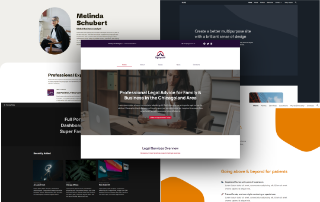
Google Sites is a free, user-friendly website builder from Google that lets you create simple, responsive websites without coding, fully integrated with Google Workspace. It’s best suited for team sites, portfolios, internal projects, and small business pages.
What Google Sites Offers
- No coding required: Drag-and-drop editor with prebuilt layouts, text boxes, images, buttons, and dividers.
- Responsive design: Automatic grid layout ensures sites look good on desktop, tablet, and mobile.
- Collaboration: Real-time co-editing, just like Google Docs or Slides.
- Integration with Google Workspace: Embed Docs, Sheets, Slides, Forms, Drive files, Calendar, and even YouTube videos directly into your site.
- Templates & themes: Premade site templates and customizable themes save time and help maintain consistent branding.
- Hosting included: Sites are hosted by Google, so you don’t need external hosting or SSL setup.
Typical Use Cases
- Internal team sites: Central hub for project updates, documentation, or shared resources.
- Portfolios: Showcase work samples, resumes, or creative projects.
- Small business websites: Simple online presence with contact info, services, and embedded forms.
- Event sites: Share schedules, maps, and registration forms for conferences or community events.
Limitations & Trade-Offs
- Design flexibility: Limited compared to advanced builders like WordPress or Wix; customization options are basic.
- E-commerce: No native online store functionality; requires workarounds like embedding third-party tools.
- SEO features: Minimal compared to professional platforms; not ideal for businesses relying heavily on organic search traffic.
- Domain setup: You can connect Google Domains or other providers, but it’s not as seamless as dedicated hosting platforms.
Key Advantages
- Free to use (included in Google Workspace or with a personal Google account).
- Secure and reliable hosting by Google.
- Perfect for quick, lightweight sites where collaboration and simplicity matter most.